Subscriber Companion App
The app is intended for customers with an active RSR Fintech LMS subscription.
The mobile companion for active RSR Fintech LMS subscribers, providing authorized company-based access from Android devices.
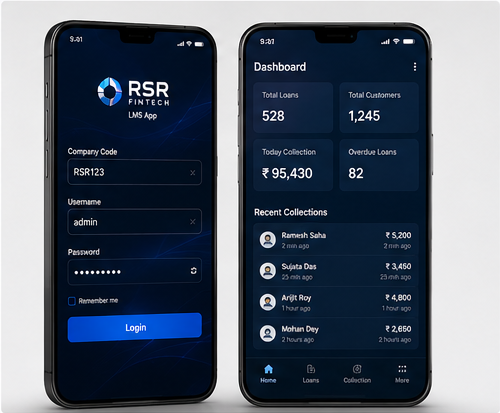
The mobile companion for active RSR Fintech LMS subscribers, providing authorized company-based access from Android devices.
The app is intended for customers with an active RSR Fintech LMS subscription.
Users sign in through their company code and authorized account credentials.
Each customer uses the environment assigned to their organization.
Authorized users can access relevant LMS functions from Android devices.
Connect to the correct subscriber environment using the company code.
Use the username and password created for the LMS account.
Keep each subscribing organization within its assigned system environment.
Access depends on the permissions assigned to the signed-in user.
Open relevant customer information according to user permissions.
Work with permitted loan information from the mobile interface.
Use supported collection-related features according to the configured role.
The app works with an active LMS subscription.
Open the official Google Play listing and install the LMS app.
Use the company code assigned to the subscriber.
Enter the authorized username and password.
The app opens the functions permitted for that user.
Use the supported LMS functions from the Android device.
The company code connects the user to the correct subscribed LMS environment.
The available screens and actions depend on the role and permissions configured in the LMS.
The Android app complements the existing web platform for active customers.
Designed around clear access and actions.
Focused interfaces for practical users.
Built for comfortable day-to-day work.
Products continue to evolve over time.
Contact and support paths remain available.
Features are centered on real use cases.
 Available
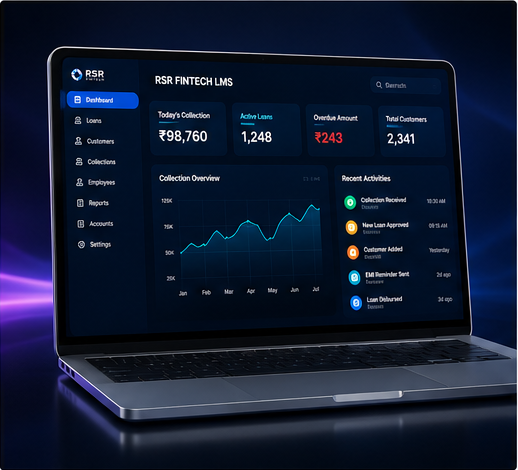
Manage customers, loans, EMI schedules, collections, branches, users and reports from one secure web and Android platform.
View Product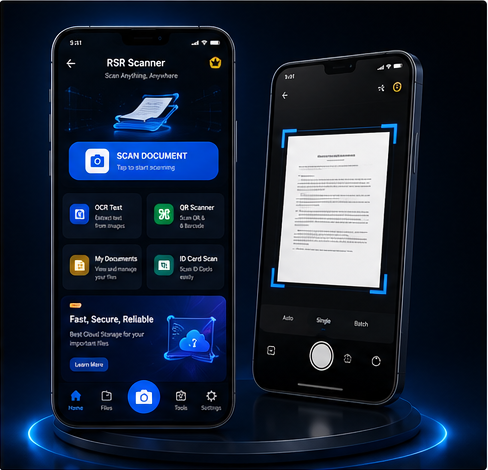 Available on Google Play
A practical document utility for scanning papers, creating PDFs, combining photos on A4 pages and managing document files.
View Product Available on Google Play
An all-in-one calculator for basic, scientific and advanced calculations with history, memory and theme options.
View ProductUse the available product action or contact RSR Fintech for more information.